


Docs
Webhooks
Webhooks are developed to send events to your application(s) in real-time. You can see it as a reversed API: provide your endpoint and the platform makes sure you get the events you are interested in once they occur. The message coming from the webhook looks like this:
| |
Configuring a webhook
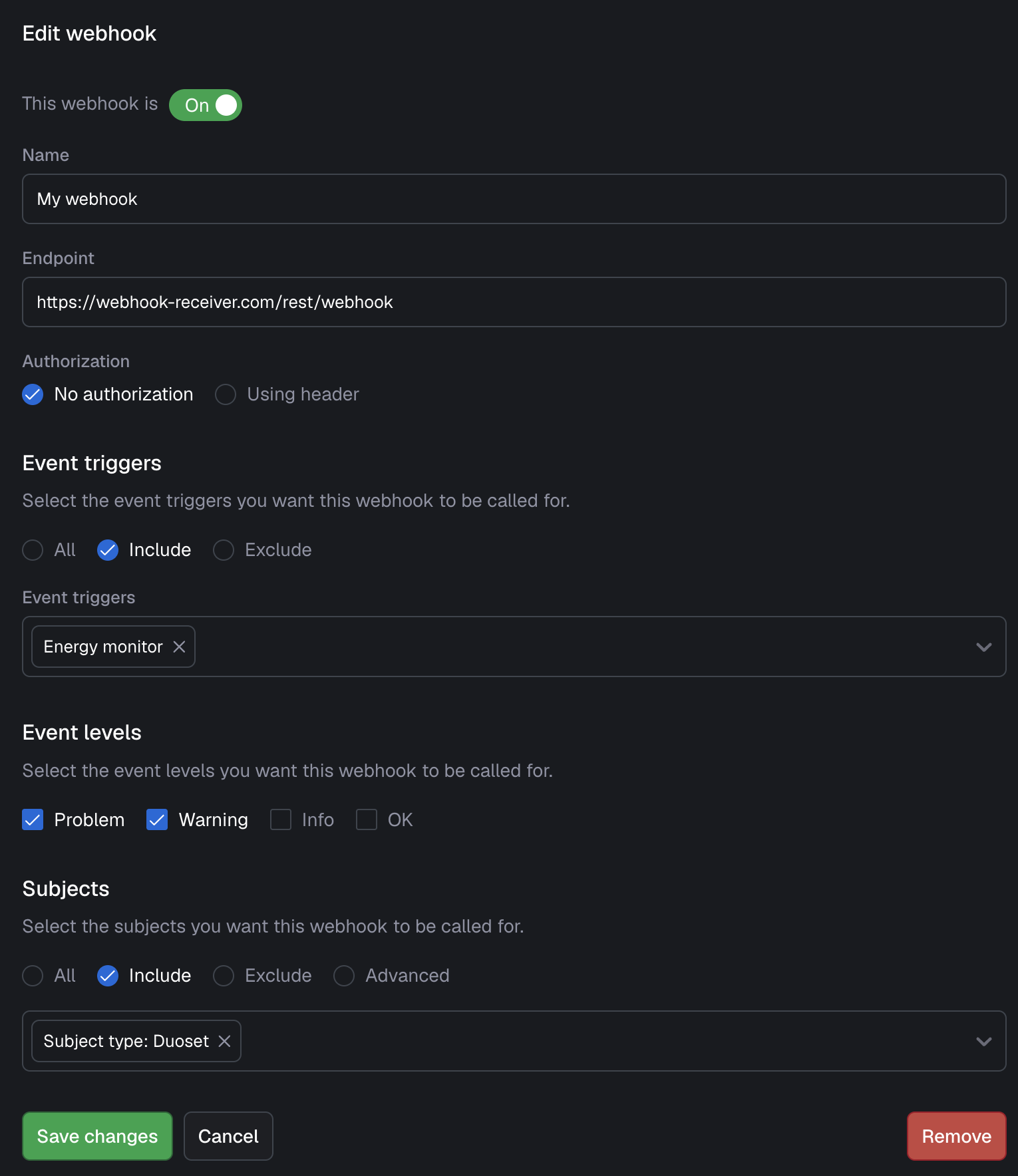
The following general information is required for a webhook.
| Field | Description |
|---|---|
| State | Active or Inactive |
| Name | A descriptive name to recognize and find your webhook |
| Endpoint | The URL where the platform needs to POST the events to. |
| Authorization header | Provide an optional header to authorize the webhook for your external system |
Event levels
Here you can select the event levels for which the webhook should be called. For example, you might only want to see Problem and Warning events being sent to your external system.
Event triggers
Here you have some filter options to only have the webhook called for certain event triggers.
Subjects
Here you have some filter options to only have the webhook called for certain subjects.
Retry logic
In case a call fails (due to receiving a non-2xx response code or exceeding timeout of 5 seconds), we will try 4 more times: after 5 seconds, 1 minute, 5 minutes and 15 minutes. If it still fails for each of those attempts, it is counted as a non-successful delivery. To make this transparent to the receiving system all messages contain the field deliveryAttempt which can be used to monitor at which delivery attempt the call was received. If no retries were needed deliveryAttempt is equal to 1. Retrieving calls that failed, for example to reprocess them after a long period of downtime, can be done programmatically via our HTTP API.
Ordering guarantees
Date ordering is guaranteed for all events related to a specific event trigger and subject. We enforce that calls are made in the right order, however the order of receiving can differ due to network problems and the asynchronous nature of the platform. To make this transparent to the receiving system all messages contain an incrementing sequenceNumber which can be used to derive the order in which messages were sent.