


Docs
TOPdesk
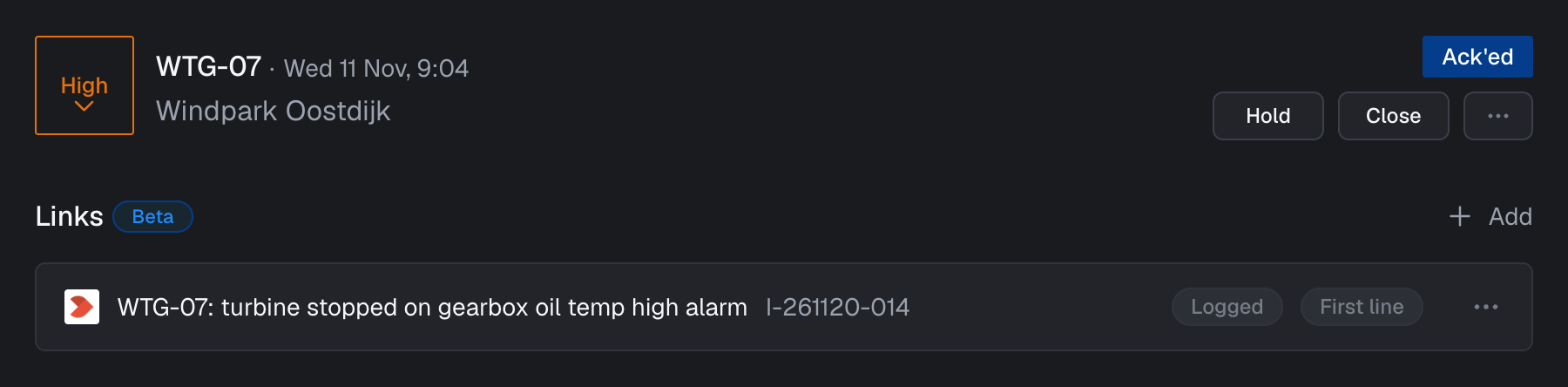
If you use TOPdesk for service management, you can use the TOPdesk integration to create incidents or link to existing incidents directly from the alarm detail page. When an incident is linked to an alarm, its number, status and processing status are displayed in Blockbax.
When the TOPdesk integration is enabled, a new option appears when clicking “Add link” on the alarm detail page. Clicking this option opens a dialog where you can create a new TOPdesk incident or link an existing incident to the alarm.
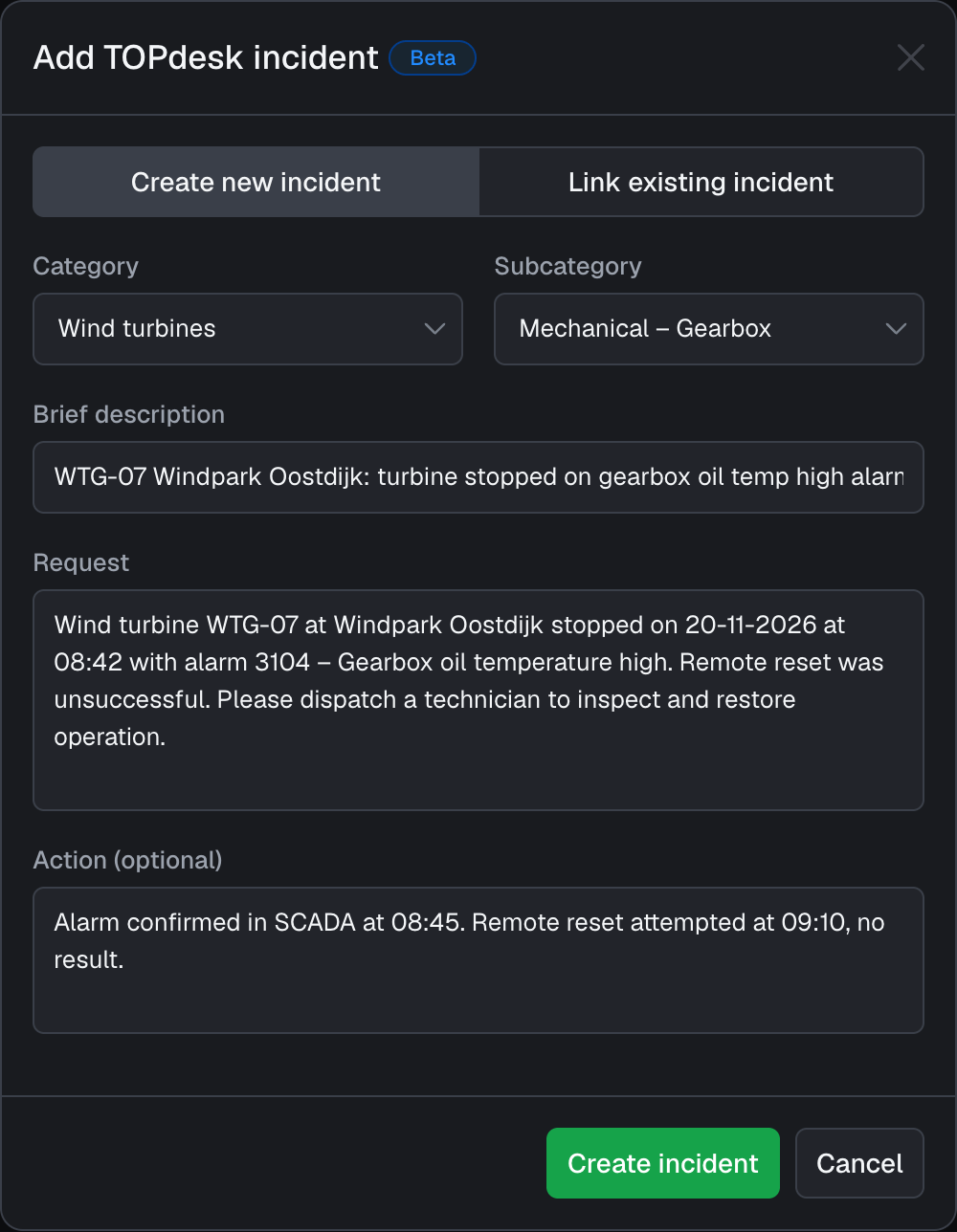
When creating an incident, you can pick its category and subcategory, and fill in a brief description, the request and an optional action. The brief description and request are prefilled with details of the alarm. All other fields of the incident are taken from the incident defaults configured for the connector.
To link an existing incident, you can also add the URL of a TOPdesk incident as a regular link, which is recognized automatically.
Configuration options
The following configuration options are available:
| Field | Description |
|---|---|
| Name | A descriptive name to recognize your TOPdesk environment |
| TOPdesk URL | The URL to your TOPdesk environment, usually in the form https://customer.topdesk.net |
| Username | The username of the TOPdesk operator that creates incidents |
| Application token | The application password you created in TOPdesk for this operator, with the required permissions to create incidents |
Incident defaults
Incidents created from Blockbax get the following default values. All IDs can be found in TOPdesk. Only the caller ID is required.
| Field | Description |
|---|---|
| Caller ID | The ID of the person in TOPdesk that is registered as the caller of the incident |
| Status | Whether new incidents are first line or second line incidents |
| Call type ID | The ID of the call type of new incidents |
| Category ID | The ID of the category of new incidents, which can be changed when creating an incident |
| Subcategory ID | The ID of the subcategory of new incidents, which can be changed when creating an incident |
| Processing status ID | The ID of the processing status of new incidents |
| Operator ID | The ID of the operator that new incidents are assigned to |
| Operator group ID | The ID of the operator group that new incidents are assigned to |
| On hold | Whether new incidents are put on hold |