Docs
Microsoft Entra ID
Microsoft Entra ID (formerly Azure AD) is a cloud-based identity and access management service. You can easily setup by using our prebuilt template from the Entra ID Gallery.
Goal
The goal is to set up an integration between Entra ID and Blockbax.
Prerequisites
- Blockbax organization (note SSO configuration is only enabled for Enterprise plans)
- Access as Blockbax organization administrator (please contact us if this is not set up yet)
- Access to the Microsoft Entra ID admin center
Steps to connect Entra ID with Blockbax
Log in to the Microsoft Entra ID admin center
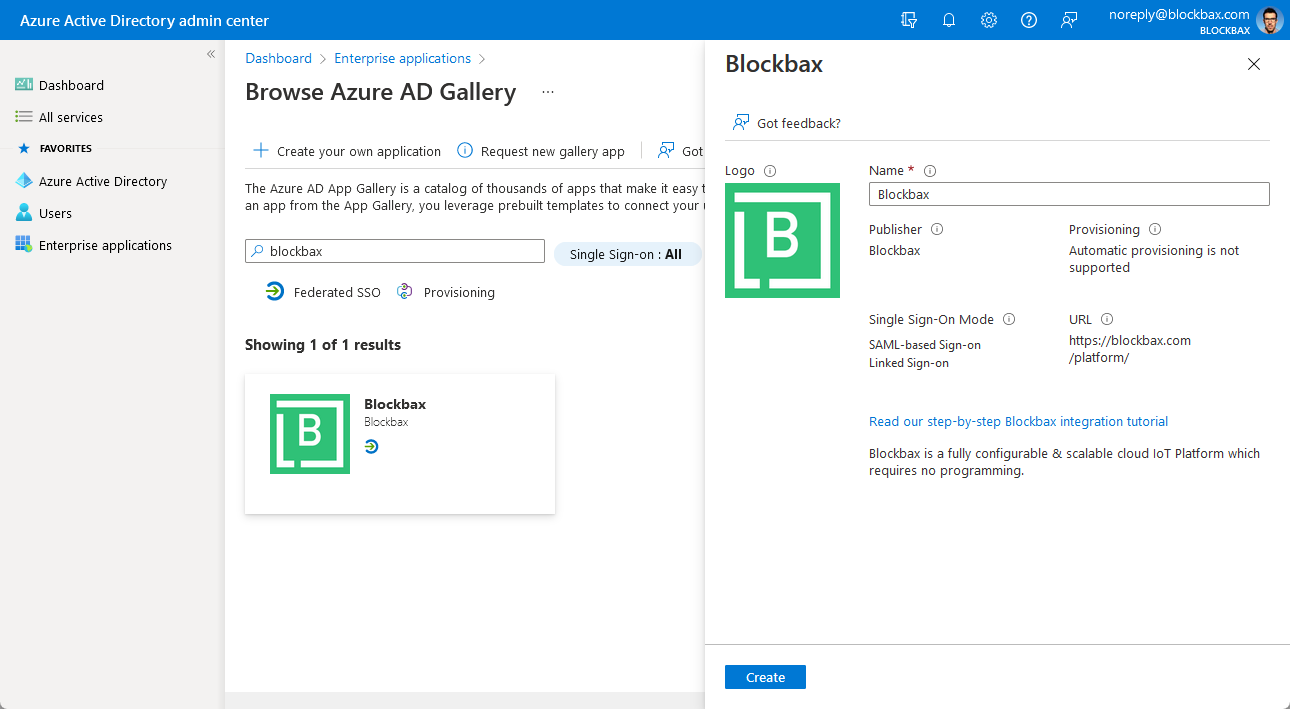
Go to Enterprise applications in the side-panel, click ‘New application’, search for ‘Blockbax’ and create it
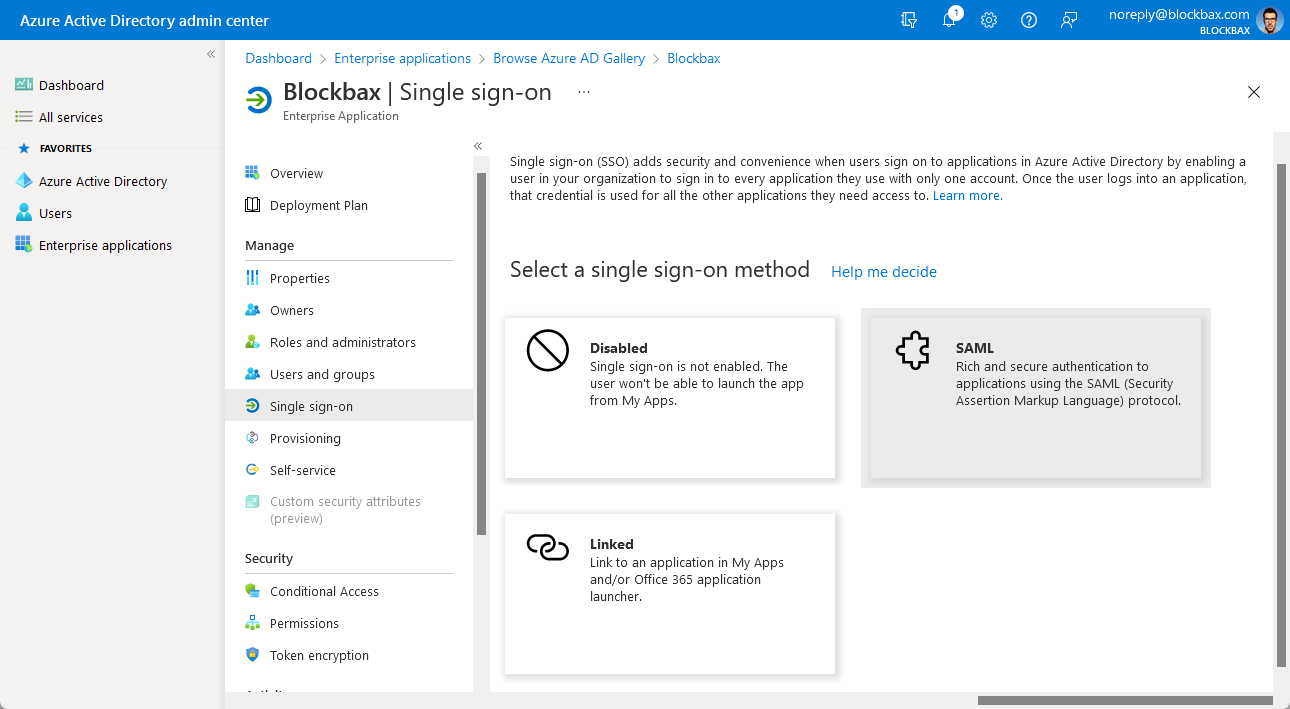
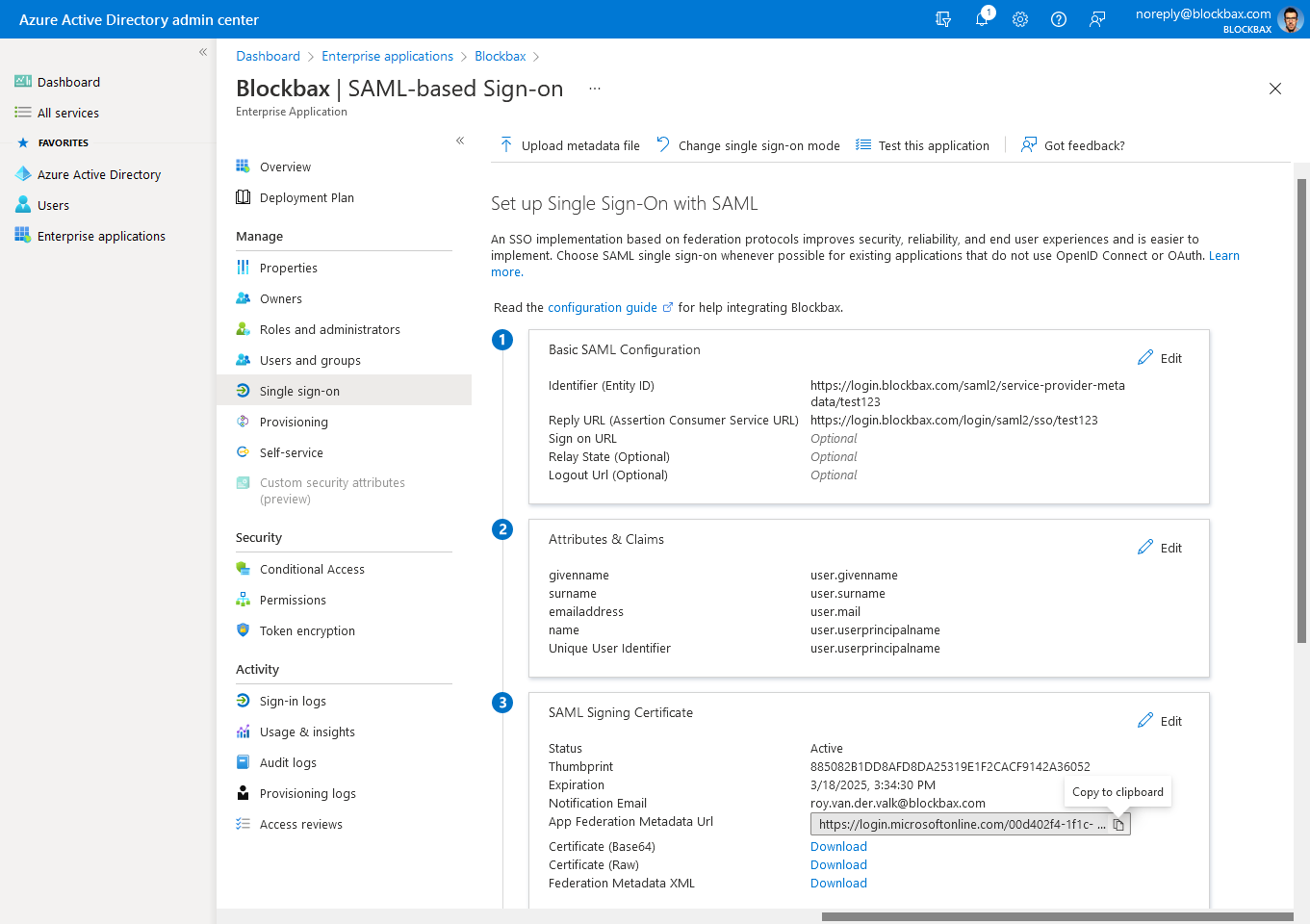
Click on ‘Set up single sign on’
Select SAML as single sign-on method
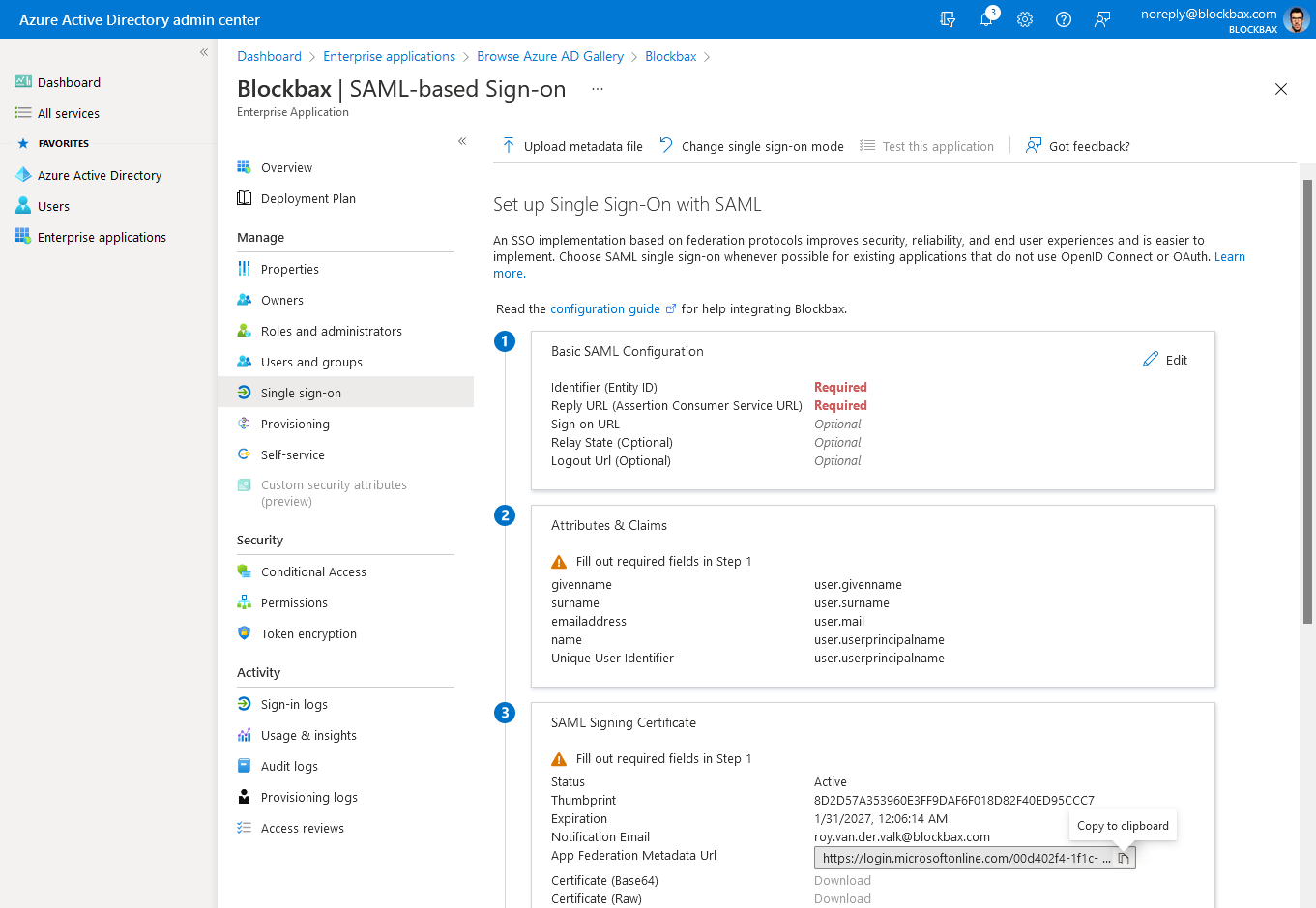
Copy the ‘App Federation Metadata Url’
Log in to the Blockbax Web App
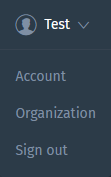
Go to your organization from the dropdown in the top right corner
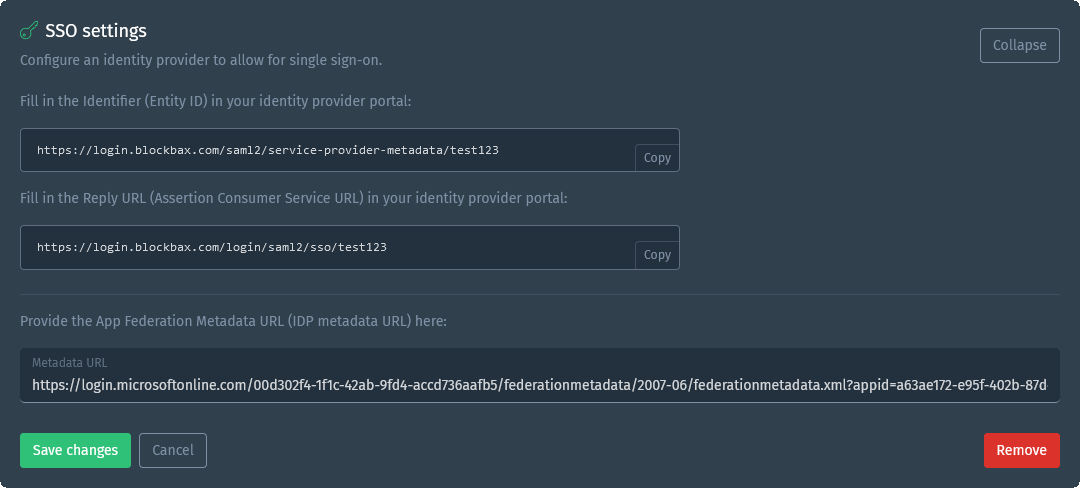
Navigate to the organization’s Settings and open the ‘SSO settings’ section
Paste the ‘App Federation Metadata Url’ in the ‘Metadata URL’ field
Now copy the ‘Entity ID’ and ‘Assertion Consumer Service URL’ from Blockbax and paste it in the related fields in the Microsoft Entra ID admin center by clicking edit on the first step for the Basic SAML configuration.
Once you click ‘Save’ here you will be asked to test it, click Yes and you should be able to login via Entra ID in the Blockbax Platform!