


Docs
Two-level aggregations
February 3, 2026
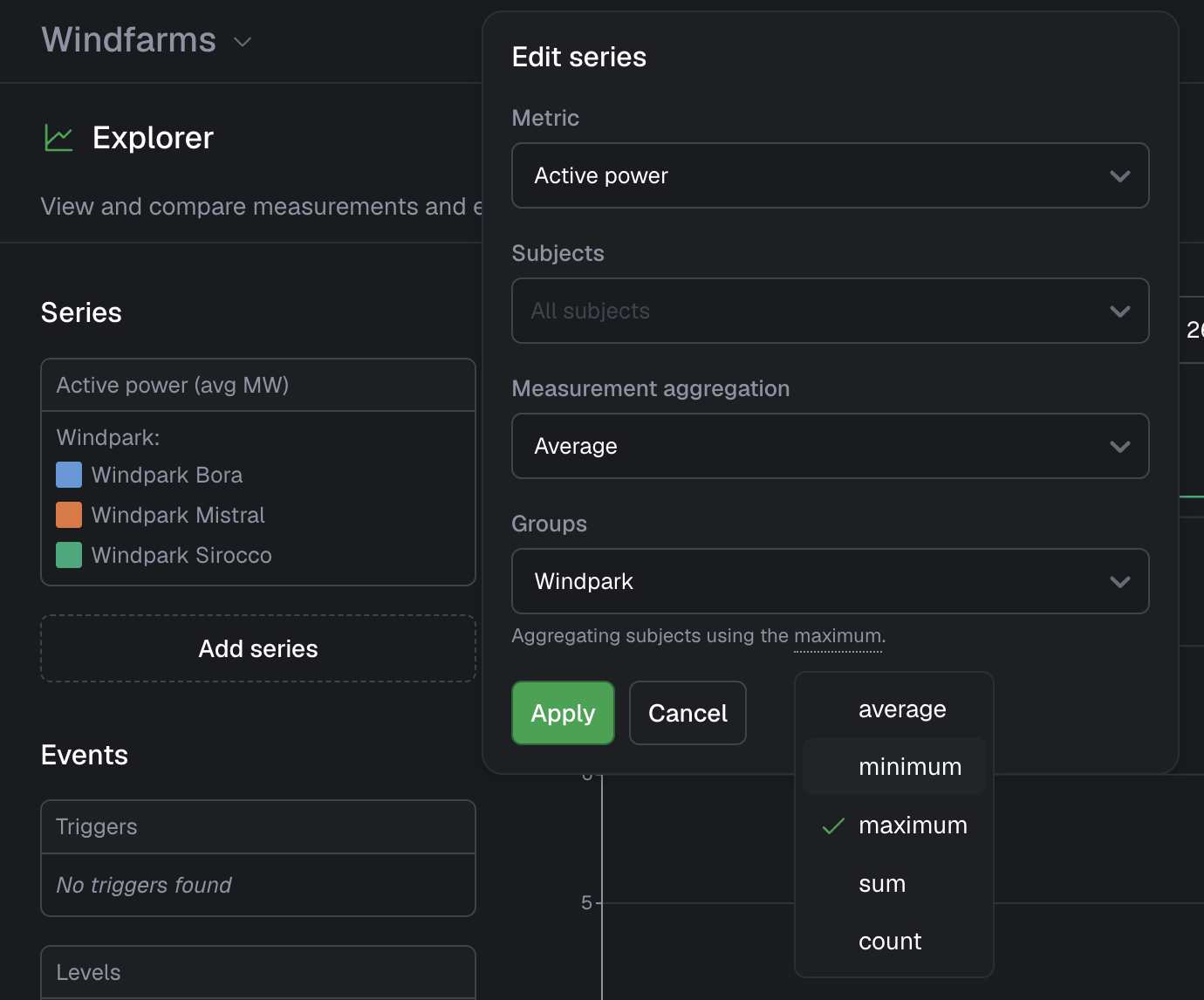
We are happy to announce that we have added support for two-level aggregations in the Explorer, chart, and single value widgets! This feature gives you more flexibility when working with grouped data by allowing you to apply a different aggregation function at the subject level than at the measurement level.
In many real-world scenarios, you don’t want to aggregate everything using the same function. Instead, you often need to calculate values per group (e.g. per turbine, customer, or location), and then combine those results into a single overall metric using a different aggregation function. Until now, the same aggregation function was used for both aggregating measurements and aggregating subjects.
With two-level aggregation, you can now:
- Aggregate measurements per subject with one function (e.g. average), and then
- Aggregate those subject results with another function (e.g. sum)
This makes it possible to answer questions like:
- What is the sum of average power usage across all my assets?
- What is the maximum average turbine active power per windpark?
All aggregation functions (min, max, sum, average, and count) are supported at both levels.
Improvements
- Add support for calendar periods (“Today”, “This week/month/year”) in addition to the already existing “Past day” etcetera
- Show ’now’ decoration in all line and bar charts
- Support smaller aggregation periods than before
- Allow hiding the subject label in the Map widget
- Show synchronized hover state on event detail page
- Increase timeout in actions from 10s to 25s
- Add support for custom client IDs in MQTT
- Support custom colors for metrics, and scatterplot threshold and regression lines
Fixes
- Fix QR code scanning in mobile app
- Fix unexpected error when sorting on event trigger column in the events overview
- Fix route visualization issue when crossing 180th meridian
- Fix event-trigger-specific notification settings not being respected
- Fix high memory usage in browser
- Fix an issue that prevents you from closing an alarm
- Fix an issue in DTAP that prevents applying changes when there is a role with no permissions