


Docs
Subject type dashboard permissions
March 31, 2025
We’ve introduced new functionality that gives you more control over the visibility of subject type dashboards! Previously, if you had access to a subject type, you could see all associated dashboards. Based on customer feedback, we’ve now introduced more granular control.
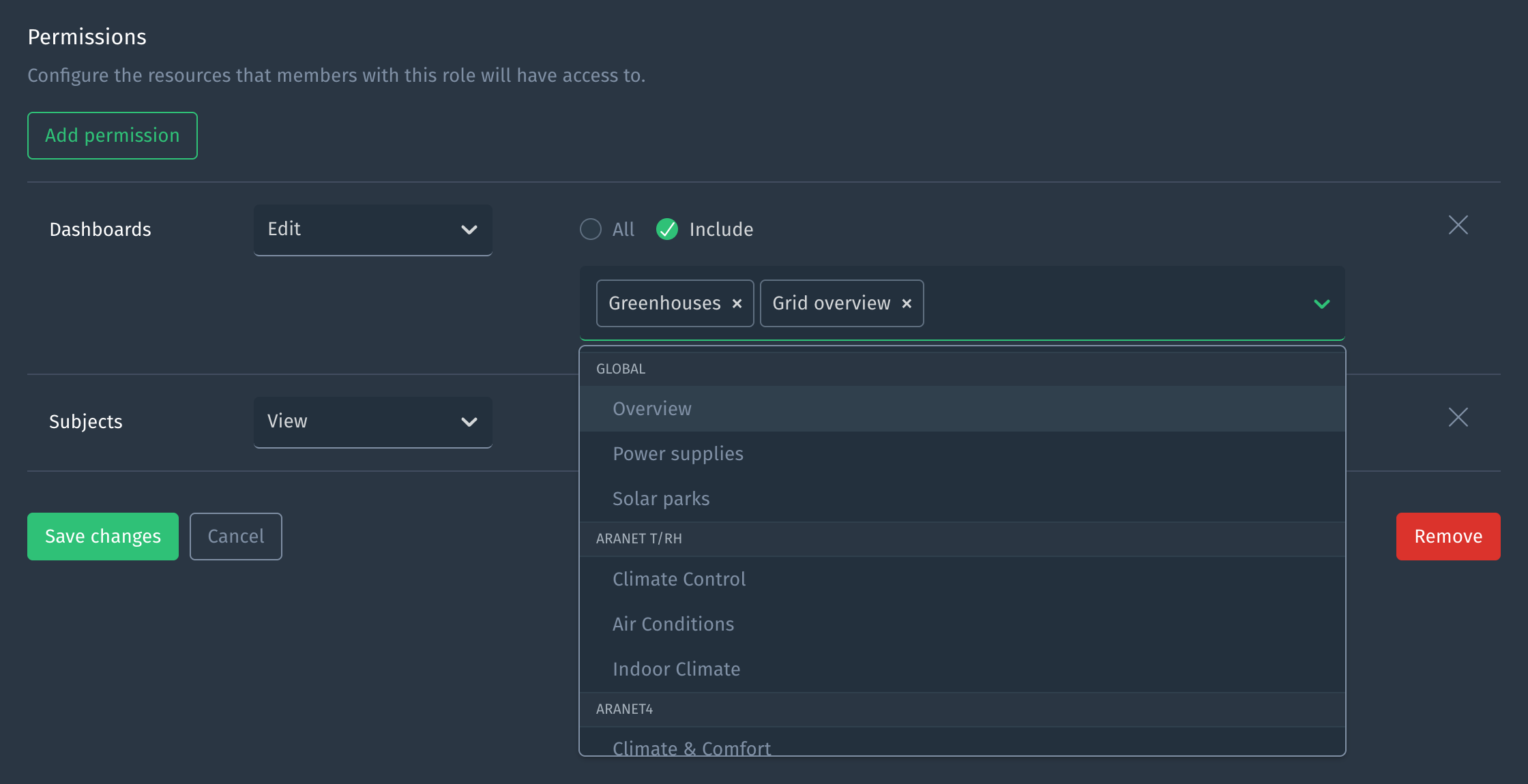
Just like global dashboards, access to subject type dashboards can now be restricted using permissions within a user role. This means you can tailor dashboard access based on roles—ensuring, for example, that a technician sees different insights than an operator, engineer or any other role within your organization!
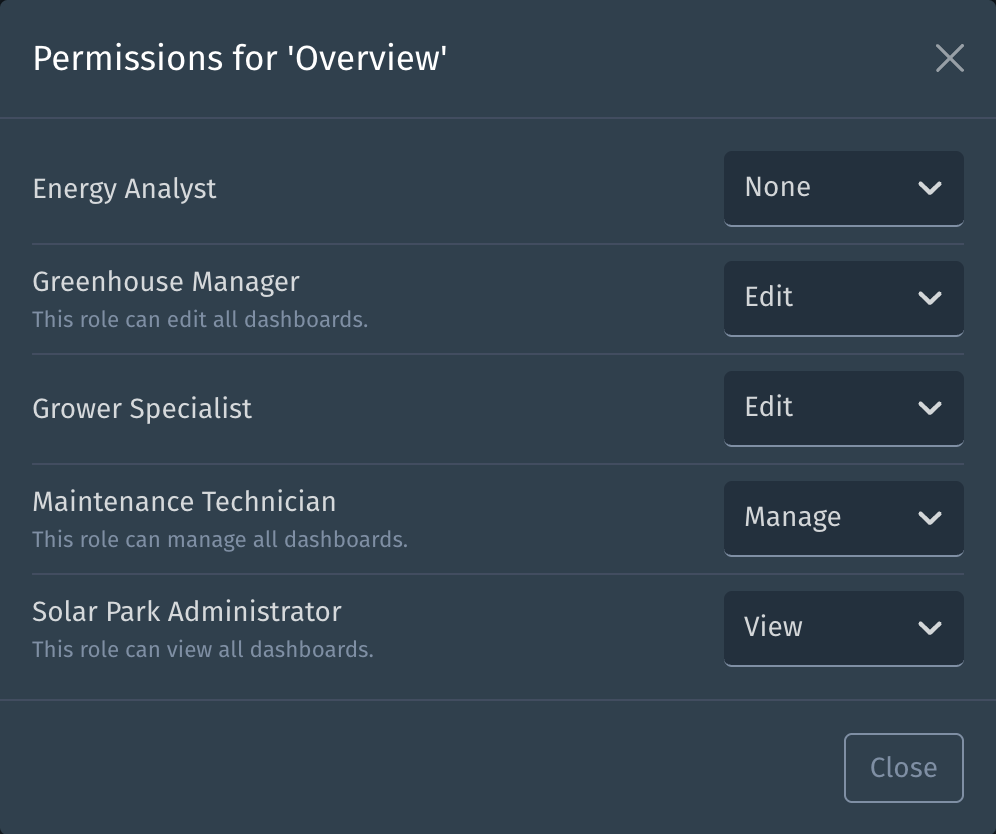
We’ve also introduced a new feature that lets you easily view which user roles have access to a particular dashboard. As an administrator, you’ll now see a convenient ‘user roles’ icon on each dashboard tab. Clicking on this icon opens a dialog that gives you a clear overview of the user roles defined in your project and their permissions for the current dashboard.

From this new dialog, you can also directly update the permissions each user role has for this dashboard. If you wish to make further adjustments to a user role’s permissions, you can click on the user role’s name, which will take you to the user role edit page.
Action advised
As communicated earlier via email, you may want to take action regarding the permissions that were converted as part of this release. To ensure that existing dashboard permissions were not elevated, the following changes were made: 1) dashboard view and edit permissions have been constrained accordingly and 2) manage permissions have been reduced to constrained edit permissions for all global dashboards. You might want to elevate these dashboard permissions again depending on your use case. Be aware that previously, dashboard permissions applied only to global dashboards, now they apply to all dashboards. Consequently, permissions which are not constrained to specific dashboards now apply to all dashboards (instead of only global dashboards).
Improvements
- Maps now load more smoothly, eliminating occasional multiple redraws on initial render.
- We’ve made it clearer when an authorization header is set for a webhook and now allow it to be cleared.
Fixes
- We fixed an issue where lines were not always assigned the same color in embedded charts.