


Docs
Personal theme preference
October 6, 2026
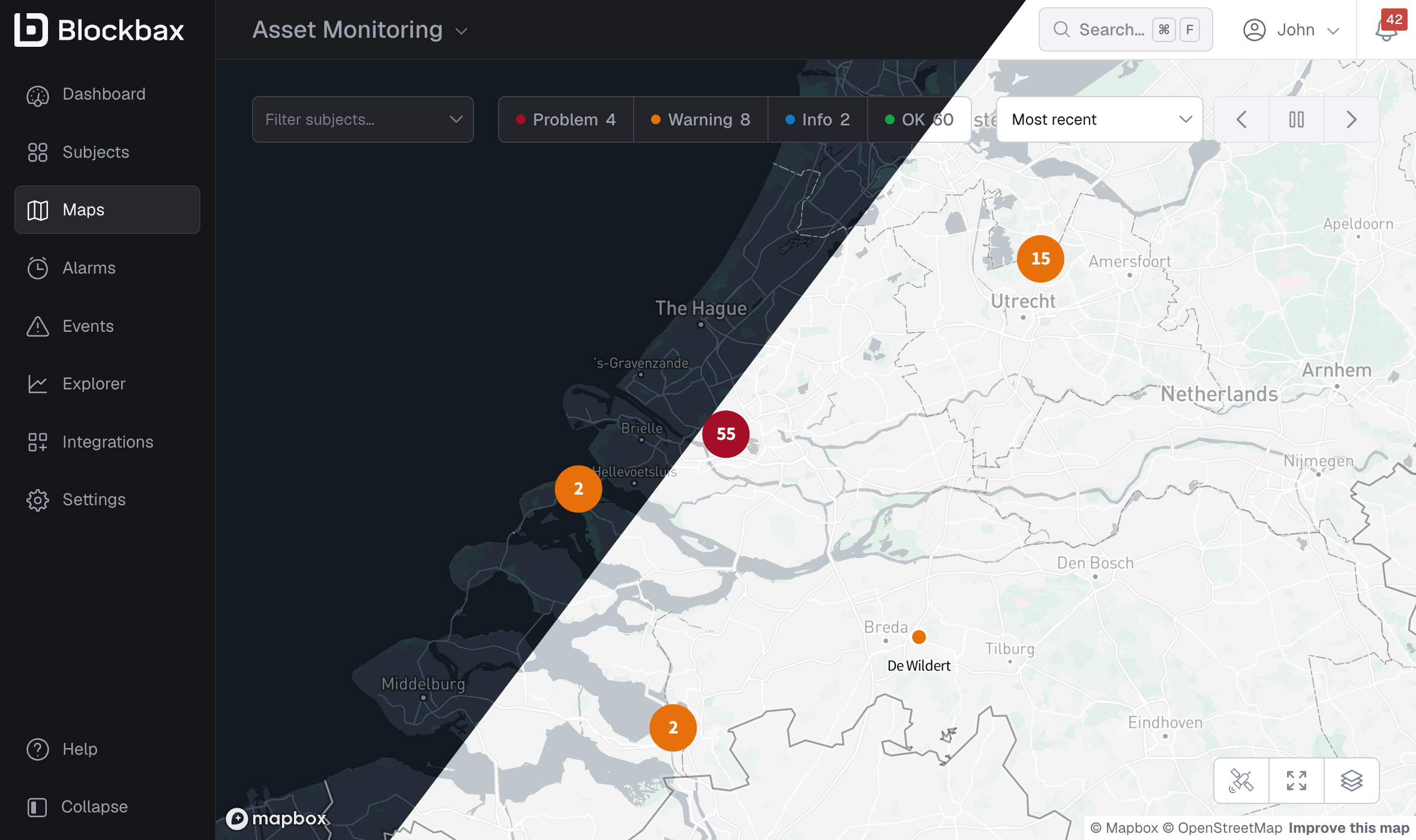
Some people think best on a dark background, some prefer light, and plenty of us would rather see Blockbax simply follow the system setting like everything else. Until now the theme was a property of the project, which meant a project showed as either dark or light for everyone working in it. That doesn’t work well for teams that run around the clock, where the night shift in a control room wants a dark screen while the day shift often prefers light. From today, you can set a personal theme preference so every project you open looks the way you want it to.
Your Theme preference lives in account settings and takes one of three values. System (the default) follows the light or dark setting of your operating system, so Blockbax turns dark whenever the rest of your desktop does. You can also opt to always show Blockbax in either the Dark or Light theme.
Improvements
- Text metrics now support values of up to 200 characters.
- You can now sort the items of a repeater widget by a property value, ascending or descending.
- We improved the performance of subject filters, permission checks and the subjects report.
- A single HTTP request in an action is now allowed to take up to 10 seconds.
- We added connection guides for Microsoft Fabric and Databricks.
- Info icons are now easier to spot.
Fixes
- Fixed the event duration sometimes displaying incorrectly on the events overview.