


Docs
Multiple environments
September 9, 2025
It’s been a while and that is not because of the holidays. We’ve been heads-down working on something big! Today we’re excited to announce our latest feature: Environments. Blockbax is one of the few SaaS platforms that lets you safely test your changes before releasing them to end users. Whether you’re deploying a handful of new assets or rolling out an entire asset composition, you now have a controlled way to do it.
Configure your environment setup. From a simple test + production setup to a full DTAP line (development, test, acceptance, production).

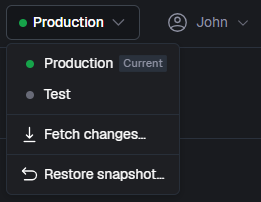
From the top bar, you can easily switch between environments and perform actions.
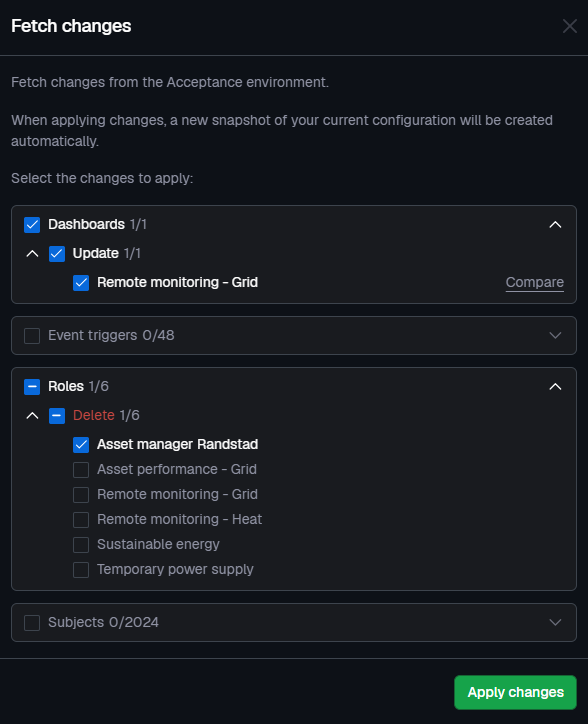
When fetching changes, you can configure what you want to sync in detail. Select a subset of resources when they are physically deployed or don’t sync certain resources when you still have to do some tests before they are ready to be monitored.
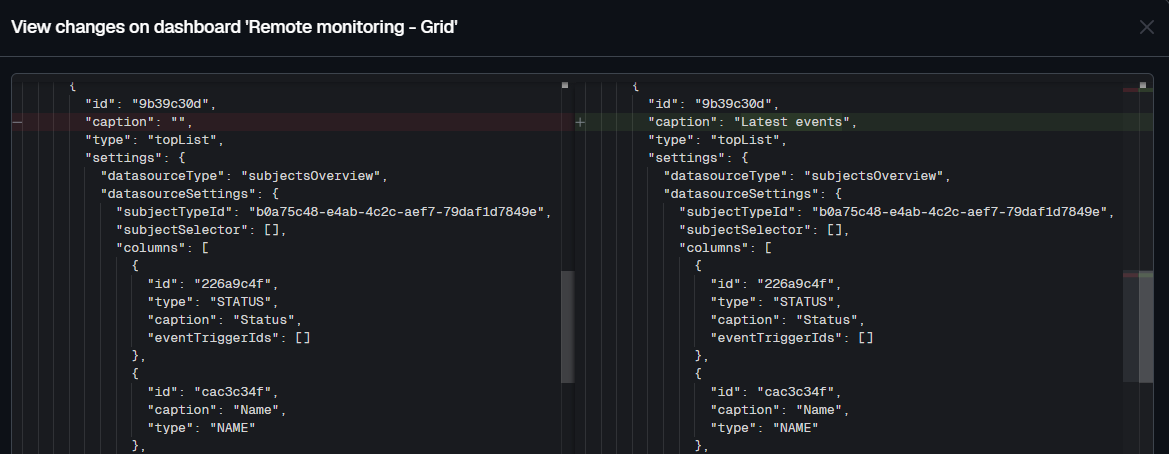
Curious (or forgot) what will change? By clicking on ‘compare’, you can inspect the diff to see the details.
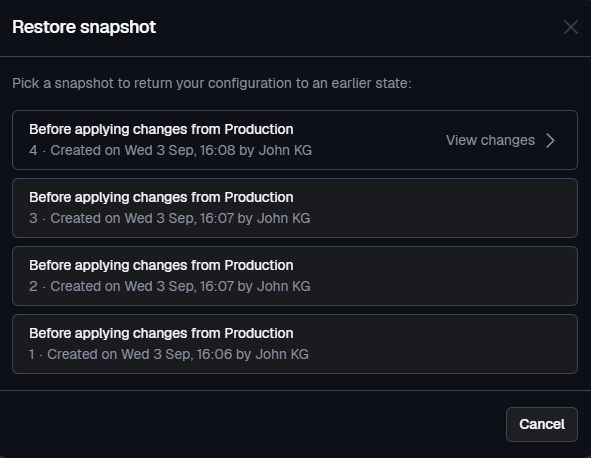
A snapshot is automatically created right before every release. This ensures that a backup is always present, enabling you to roll back if needed.
Syncing between environments only applies to your modelled resources (like dashboards and triggers). Measurements and events are not synced.
Multiple environments are only available to users on our Enterprise plan - contact us if you are interested in trying it out. For a full overview of the functionality visit the docs.
Improvements
- Improved speed of forecasted metric training; it is now four times as fast.
- By default, no period is selected when viewing the audit log to allow for infinite scrolling
- Allow choosing a value from a drop down when calling an action with a parameter linked to a property type with predefined values
- Add blue color option for gauge and threshold lines
- Make properties and ingestion IDs collapsible in subject edit page
- Do not prefill the data type of a property type so that it becomes a conscious decision
- Improved date conversion in the Python SDK
- Show dropdown of dashboard tabs not fitting on one line also in edit mode
Fixes
- Fix missing back-filling data for forecasted metrics
- Fix visual bug in explorer for metrics without a unit
- Fix unsaved changes popup after saving dashboards
- Fix zooming on the map on touch devices
- Fix the positioning of tooltips so that they are always visible
- Fix an API edge case where inherited properties of the parent subject were not propagated to child subjects